Feb
14
2012

Keeping Your Brand Out of Politics

Politics has gotten ugly. OK, it’s always been ugly, but in the last decade, it’s gotten extra super ugly. As a nation, we are more divided than ever by politics and it doesn’t look like this is going to change any time soon. Many companies (wisely) try to stay out of all things political as much as possible. As we saw with the Susan G. Komen PR disaster earlier this month, doing otherwise can create an unwanted poopie storm of biblical proportions.

Unfortunately, sometimes particular special interest groups try and drag brands into their fights. Such has been the case with Starbucks and guns. In most states, if you don’t have a criminal record and meet certain established requirements, you can get a license to carry a concealed firearm. While this fact completely freaks out a vocal minority of people who envision gun fights over parking spaces and a return to the Wild West, the truth is concealed carry is a non-issue. As a matter of fact, concealed carry permit holders are among the least likely people around to commit a crime with (or without) a firearm. They aren’t really a threat to anyone except, from time to time, criminals.

In California, the process of getting a concealed carry license isn’t straightforward at all. Decisions about of who may or may not get a concealed carry permit is left entirely up to local law enforcement. Words like arbitrary and discriminatory come to mind because in practice, the only people who are able to get a permit are judges, politicians or people of privilege. Until the beginning of this year, the only way a California resident could legally exercise their Second Amendment rights was to openly — meaning visibly — carry a holstered and unloaded firearm. Now they can’t even do that (but for the time being, they can still carry shotguns and rifles).

Openly carrying a firearm is can be alarming to some people (though, in reality, most don’t even notice). It also exposes the person carrying the firearm to being handcuffed and harrassed by overzealous/uneducated law enforcement personnel. As a result, a growing group of Californians decided to ban together and meet in public places as a way to draw attention to the state’s unfair and inconsistent gun laws and educate others about their cause. One of the places they congregated was Starbucks.

The open carry movement drew the attention of several anti-gun groups who began putting pressure on the businesses they frequented to ban firearms entirely from their establishments. Many businesses caved in to the pressure but Starbucks did not. In 2010, the company issued the following statement:

While we deeply respect the views of all our customers, Starbucks long-standing approach to this issue remains unchanged.  We comply with local laws and statutes in all the communities we serve.  That means we abide by the laws that permit open carry in 43 U.S. states.  Where these laws don’t exist, openly carrying weapons in our stores is prohibited.  The political, policy and legal debates around these issues belong in the legislatures and courts, not in our stores.

This simple response provides a BEAUTIFUL example of how a company can – for the most part – stay out of difficult and (emotional/incendiary/divisive) issues. This was probably a tough decision to make, but it was unquestionably the right thing to do in the long run. They took control of their own message and opted to stay focused on the issues that matter to them.

As I’ve written here numerous times, companies no longer get to control their own message completely. Customers and others play an increasingly important role in defining any company’s brand. However if a company plays its cards right, it does get the final say. With that one simple statement, Starbucks is now in a position where it no longer has to do or say anything more about the regardless of whether or not it fades away or goes on for years to come — the latter being more likely.

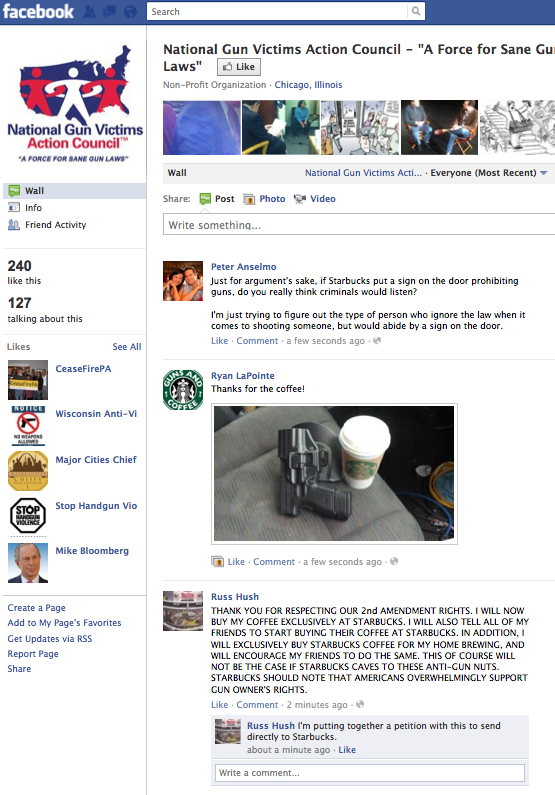
Today, for example, The National Gun Victims Action Council made a very lame attempt to paint Starbucks’ refusal to take an anti-gun stance as being part of the “NRA’s lethal pro gun agenda.” They also attempted to organize a nationwide boycott to try and hit Starbucks where it hurts. The result? The NGVAC Facebook page — with a whopping 240 “likes” as of this afternoon — has been taken over by  folks who went out of their way to visit Starbucks in support of its decision to rise above the fray. The Starbucks Facebook page is also loaded with positive comments and words of thanks from sensible and rational people (the majority of whom appear to support the first and second amendments).

In all likelihood, the result of the boycott was a noticeable spike in sales for Starbucks. I’d love to know how much but I’m sure this isn’t a story the mainstream media is going to cover. Presumably, Startbucks will have the sense to keep mum about the whole thing as well.


It's nice to share:
  • TwitThis
  • Sphinn
  • del.icio.us
  • Facebook
  • Digg
  • LinkedIn
  • StumbleUpon
  • email
0
Jan
13
2011

Most Amazing News Release Written?

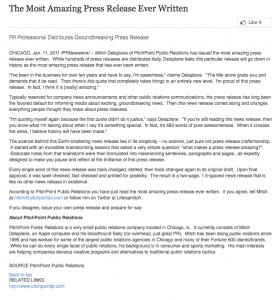
Wow. A gimmick news release was put out today by a company called Pitch Point Public Relations claiming to be the “Most Amazing Press Release Ever Written.” Perhaps I’m getting old, but I just don’t see it.

In the past 10 years we’ve seen a lot of attempts to change the nature of the news release. And along the way there have been some improvements. The fact that they can now be easily distributed online along with hyperlinks, meta data and rich multimedia content is pretty cool and a drastic improvement to what we used to do back in the pre-Internet days.

But as fads come and go, there are a few things that any good news release still needs to accomplish (and, yes, there is a reason I call it a news release and not a press release, which is more valid today than ever). Below are some choice nuggets from some training materials I put together for our junior staff and clients about a decade before the author of “the Most Amazing Release” cut his teeth in the PR racket:

  • A news release must be newsworthy
  • It must work as a stand-alone story
  • It should be written using AP style
  • It should be written in the “inverted pyramid” style
  • It should be free of hype and jargon
  • It should be objective
  • It should be complete
  • It should be straightforward
  • It should contain context and inform the reader (ultimately the journalist’s audience) why the news matters

Even today, as news releases are used to serve multiple audiences, these fundamentals are still important. Perhaps that’s why the traditional — even somewhat formulaic — news release remains the weapon of choice for the world’s most marketing savvy companies. Why? Because they continue to generate more media coverage than anything else.

The fact that this release got coverage in some pretty high profile places including TechCrunch and even the Huffington Post is impressive — and to be honest, a bit of a surprise based on its lack of any real content or news. So kudos to Pitch Point. I don’t think I’m going to start recommending a strategy of sending newsless news releases to clients any time soon, but this release does demonstrate that it’s OK to have a little fun and lighten up with language once in a while. And that’s refreshing indeed.

It's nice to share:
  • TwitThis
  • Sphinn
  • del.icio.us
  • Facebook
  • Digg
  • LinkedIn
  • StumbleUpon
  • email
3
Sep
11
2010

Sharing the Joy — The Blogmobile!

Introducing The Blogmobile

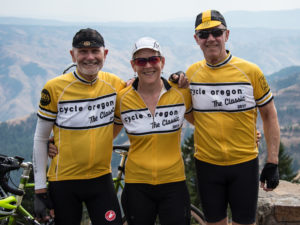
Cycle Oregon is one of the greatest cycling events on Earth. Each year, 2,200 cyclists embark on a 7-day ride through some of the most scenic parts of the state. Along the way, a lot of money is raised to help support the rural communities that serve as our gracious hosts.

For many, Cycle Oregon is a life-changing experience and one that begs to be shared with fellow cyclists as well as non-riding friends and family. And this year, it will be easier than ever for them to do just that thanks to The Blogmobile.

The Blogmobile is a mobile platform for the growing number of bloggers who cover the event on a daily basis (Including the KoiFish team, which manages and writes for the Cycle Oregon Blog). It also has a bank of PCs for everyone else to use to access Twitter, Facebook or whatever social network tickles their fancy.

Our hope is that The Blogmobile also makes it easy for the community to make a collective record of the event unlike anything that we’ve previously seen before and that this record inspires a few folks to join us in years to come.

You can follow the action at:

www.facebook.com/cycleoregon
http://www.flickr.com/groups/cycleoregon2010/
http://www.youtube.com/user/cycleoregon
www.cycleoregon.com/blog
www.oregonlive.com/cycleoregon
http://hollerit.blogspot.com/
http://pdxcyclingonline.com/

It's nice to share:
  • TwitThis
  • Sphinn
  • del.icio.us
  • Facebook
  • Digg
  • LinkedIn
  • StumbleUpon
  • email
0
Sep
05
2010

Social Media On a Mobile Phone or a Smartphone – A Beginner’s Guide

Socia Media and Cycling Go Totether Like Peas and Carrots

Today Facebook has more than 500 million users. If you’re reading this blog, chances are you’re one of them. If you’re younger than 30, chances are you already know how to post status updates or photos to Facebook from all your various mobile devices. This tutorial is not for you. If, however, you’re new to Facebook and/or accessing Facebook from your mobile device, read on.

Facebook from an “old-school” mobile phone

Facebook can be accessed from any mobile phone that can send e-mail. Through e-mail you can post status updates and – provided your phone is equipped with a camera – you can also add photos. The first thing you need to do is find your personalized Facebook upload e-mail. To find your upload e-mail:

1)   From a PC, log in to your Facebook profile
2)   Type http://facebook.com/mobile in your browser and hit “Enter”

At the top of the page, look for the heading that says Upload via Email. There you will find your personal Facebook e-mail address.  To update your status in Facebook (in other words, write on your page to let your friends know what you’re doing), simply send an e-mail from your phone to your personal Facebook address. The subject line of the e-mail will become your update. If you want to post a photo, e-mail the photo to the same address. The subject line of the e-mail will become the caption.

That’s all there is to it.

Facebook from a smartphone

If you’ve got a smartphone (an iPhone, Android or BlackBerry), you’ve got options. You can e-mail updates and photos as described above. You can also simply use a Web browser – go to www.facebook.com and use the program in the exact same way you use your PC. And once you try that method, you’ll understand completely why it isn’t ideal. The best way to do it is through a Facebook application that was designed specifically for your phone. To download the Facebook app for your device, follow one of the links below.

Facebook for iPhone
Facebook for Android
Facebook for BlackBerry

All these apps are easy to navigate and fairly self-explanatory. With any of them, you can do pretty much anything you can do from the Facebook Web page. This includes posting status updates and photos to your page as well as posting on the walls of friends or on Facebook pages that you already “like.”

To post a photo to your own profile, simply login to the application, choose “profile” from the menu page, then tap on the “What’s on your mind?” area. This will invoke your keyboard and allow you to type your update. If you want to post a photo or video, touch the camera icon just to the left. You’ll have the option to shoot a photo or video or choose from one in your library.

Posting to a Facebook page is also easy. For example, let’s say you’re out on Cycle Oregon and just snapped a photo you want to share on the Cycle Oregon Facebook page. Here’s how it’s done:

1)   From the main menu, touch the “search” menu at the very top of the screen
2)   Just underneath the search menu, touch the “pages” button
3)   Search for Cycle Oregon
4)   Open the Cycle Oregon page
5)   If necessary, “like” the page (if you already post stuff on the page, you’ve probably already done this)
6)   Touch the camera icon and follow the same steps outlined above

It’s that simple. One thing that might not be so simple is navigating your way back to the page from the main menu when you want to post another photo. That’s because the main menu consists of multiple pages. When you open the app, you always go to page 1. To get to page 2 – where your favorite pages are saved – simply swipe your finger to the left as you would on the main phone menu page.

It's nice to share:
  • TwitThis
  • Sphinn
  • del.icio.us
  • Facebook
  • Digg
  • LinkedIn
  • StumbleUpon
  • email
1
Mar
11
2010

Want to Write a Mission Statement That Doesn’t Suck?

This is the best online video I’ve seen in a while on any subject. I hope more businesses take it to heart. My take on the subject comes in the form of two lessons. Lesson one — lighten up and show a little personality. That’s what will let people connect with your brand on an emotional level. Lesson two — ban writing by committee. Brainstorming as a group is good. Writing as a group is bad. If this process is mandatory, have the testicular fortitude to be the guy at the end of the session who steps up and points out that the vapid, milquetoast crap you all just hammered out is just that.

Thanks Fast Company!

It's nice to share:
  • TwitThis
  • Sphinn
  • del.icio.us
  • Facebook
  • Digg
  • LinkedIn
  • StumbleUpon
  • email
4