Everything I really needed to know about PR I learned when I was a kid
Greenwashing is more than a deception, it is bad for the environmental movement

A functional work of art

One of the greatest bike shops in Portland

This is my Seven. There is none other like it and this one is mine!

Matthew Scully and Sarah Palin

A speech is only as strong as the person delivering it
Pay for play journalism is advertising in drag
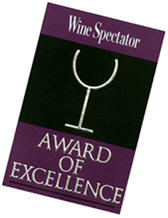
Goldstein proved just how valuable this award is
- Made it clear his views on pay for play journalism
- Provided a magnificent example of how a creative approach to PR can yield substantial results
- Provided yet another example of how effective viral marketing can be
- Gave one of the editors at Wine Spectator an opportunity to effectively use social media to help diffuse a mini-crisis (followed by a failure)
It is worthwhile to look at each one of these points in a little detail.
Commentary on Pay for Play
I spoke with Robin briefly about his prank and he told me that his only objective was to begin a dialog on how the food and food and wine industry markets itself and what a disservice this can be to the consumer. His theory is that there is an inverse relationship between the amount of money spent on advertising and marketing and the quality of the food and that things like price and marketing have more of an impact on how wine is rated than anything else.
Looking at the Portland market, his theory holds up. One of the newest restaurants, Lucier, has put a lot of marketing effort in to creating a perception that it aspires to be our city’s answer to The French Laundry or Charlie Trotter. The web site is beautiful and must have cost a fortune. According to one review, while the place is beautiful to behold, the quality of the food is sorely lacking and unworthy of the exorbitant prices they charge.
Another example is McCormick & Schmick’s who advertises all over the place and even passes out coupons on Alaska Airline flights. They have no qualms about charging fine dining prices. No matter that the food is hardly what could be considered haute cuisine.
 And then you have Le Pigeon, which in my opinion, is one of the best restaurants EVER. It is certainly the best in Portland. While they have a modest Website, it is nothing fancy. I seriously doubt they put a lot of time and energy in to marketing. They don’t have to. The food speaks for itself. They do get a lot of media attention, but that’s because they are doing something truly extraordinary. The coverage is earned, not bought.
Robin’s theory on wine is similar and that is pretty much the point of The Wine Trials. The moral of that story is that, in blind tastings, the average Joe actually prefers the taste of cheap wine.
When it comes to Wine Spectator, he has a valid point and gets to the heart of why pay for play is totally weak.
Wine Spectator’s editorial staff often focuses on the food and wine of a particular city or region. When these reporters write about the restaurant scene in a particular place, they do so with authority. It is clear they have done their homework (if you can call getting paid to eat and drink at a bunch of awesome restaurants work). They find a great representation of the very best that city or region has to offer. They don’t waste space writing about the local Morton’s Steakhouse or Ruth’s Chris. This isn’t because those places are bad (they aren’t) it is because they understand that those places aren’t as interesting to the readers. They are showing journalistic integrity and, as a result, they have been able to earn some level of trust. I know that, if I’m going to travel to a new dining destination, I can rely on a Wine Spectator article to help me find a great place to chow down.
And then you have Le Pigeon, which in my opinion, is one of the best restaurants EVER. It is certainly the best in Portland. While they have a modest Website, it is nothing fancy. I seriously doubt they put a lot of time and energy in to marketing. They don’t have to. The food speaks for itself. They do get a lot of media attention, but that’s because they are doing something truly extraordinary. The coverage is earned, not bought.
Robin’s theory on wine is similar and that is pretty much the point of The Wine Trials. The moral of that story is that, in blind tastings, the average Joe actually prefers the taste of cheap wine.
When it comes to Wine Spectator, he has a valid point and gets to the heart of why pay for play is totally weak.
Wine Spectator’s editorial staff often focuses on the food and wine of a particular city or region. When these reporters write about the restaurant scene in a particular place, they do so with authority. It is clear they have done their homework (if you can call getting paid to eat and drink at a bunch of awesome restaurants work). They find a great representation of the very best that city or region has to offer. They don’t waste space writing about the local Morton’s Steakhouse or Ruth’s Chris. This isn’t because those places are bad (they aren’t) it is because they understand that those places aren’t as interesting to the readers. They are showing journalistic integrity and, as a result, they have been able to earn some level of trust. I know that, if I’m going to travel to a new dining destination, I can rely on a Wine Spectator article to help me find a great place to chow down.
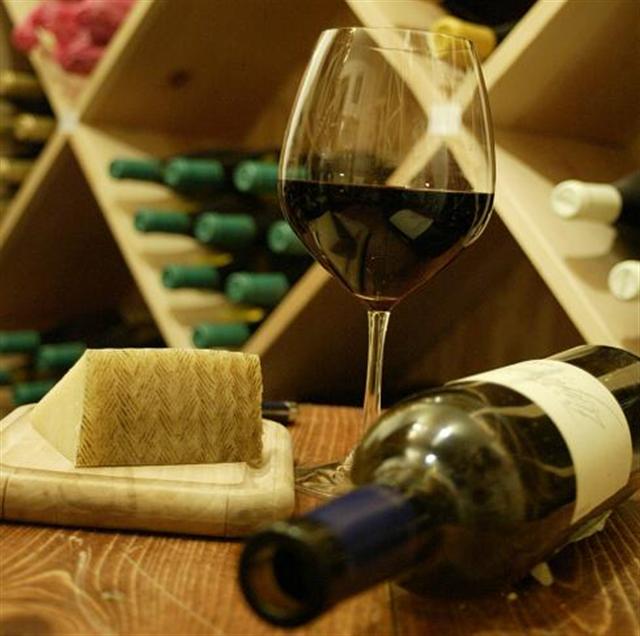 Then there are the Wine Spectator Restaurant Awards. These are the pay for play awards with which Robin takes issue. As far as anyone can tell, any restaurant that pays the $250 fee and submits a menu and wine list that meets a certain set of loosely specified requirements can “earn” a spot on the list. Looking at the Portland area winners, I see a few of the better restaurants in town mixed in among the usual suspects of higher-end chains. There are also quite a few downright crappy places where the wine lists and menu might cut the mustard, but are serving food I wouldn’t give to my dog.
If someone from out of town wanted to use this list to try and find a great food and wine experience, they might get lucky and, then again, they might not. And they would definitely miss out on places like LePigeon, Beast, Payley’s Place and some of Portland’s other must-try places because they aren’t in there.
Readers of Wine Spectator are the ones who suffer. They deserve a magazine that provides consistent quality information in every issue and shouldn’t have to rely on reading the fine print to find out which editorial is pure editorial and which is paid for.
Creative Approach to PR
Robin claims that his one and only objective in doing what he did was to start the dialog with the industry about the disservice it is doing to epicureans and oenophiles through the use of a rating system that is highly susceptible to marketing.
Then there are the Wine Spectator Restaurant Awards. These are the pay for play awards with which Robin takes issue. As far as anyone can tell, any restaurant that pays the $250 fee and submits a menu and wine list that meets a certain set of loosely specified requirements can “earn” a spot on the list. Looking at the Portland area winners, I see a few of the better restaurants in town mixed in among the usual suspects of higher-end chains. There are also quite a few downright crappy places where the wine lists and menu might cut the mustard, but are serving food I wouldn’t give to my dog.
If someone from out of town wanted to use this list to try and find a great food and wine experience, they might get lucky and, then again, they might not. And they would definitely miss out on places like LePigeon, Beast, Payley’s Place and some of Portland’s other must-try places because they aren’t in there.
Readers of Wine Spectator are the ones who suffer. They deserve a magazine that provides consistent quality information in every issue and shouldn’t have to rely on reading the fine print to find out which editorial is pure editorial and which is paid for.
Creative Approach to PR
Robin claims that his one and only objective in doing what he did was to start the dialog with the industry about the disservice it is doing to epicureans and oenophiles through the use of a rating system that is highly susceptible to marketing.
 He says that the fact that it is also a great mechanism for publicity about him and his book is just a happy coincidence. Whether or not he actually intended this to be a PR stunt is irrelevant. The fact of the matter is that it was one. And it was an awesome one. For $250 and a few hours of his time he was not only effectively able to make his point, he was able to generate a significant buzz, which continues to produce coverage in some very high profile publications. To attempt to generate that same amount of coverage using more traditional cookie cutter PR tactics would have cost a lot more and most likely would have failed. It would be very interesting to find out the impact this whole thing has on his www.Amazon.com book sales.
The funny thing is that Robin isn’t the first to take issue with Wine Spectator on this issue or the first to generate a response. Mark Fischer, author of Uncorked wrote about it in the Dayton Daily News in 2006. And while Fischer was able to get a detailed response from the Publisher of Spectator, he certainly didn’t do so with as much flair.
Example of Effective Viral Marketning
Enough said.
The Effective Use of Social Media to Help Diffuse a Crisis
Hats off to Wine Spectator for having the testicular fortitude to take proactive action to what might be perceived as a mini PR crisis. There is a great post from editor Thomas Matthews on the publication’s own Internet forum. By taking control of the situation and providing this online community with the magazine’s side of the story as soon as it was able to gather the facts, Matthews was able to garner a lot of support from forum members. The fact that the publication had taken the time and effort to establish the forum laid a great foundation for communication proved invaluable. On the other hand, it is also worth noting that Wine Spectator forum members were among the few who didn’t think Robin did a pretty awesome thing.
Of course, Wine Spectator didn’t handle it perfectly and it seems they may have committed a bit of a party foul in their follow up. Robin told me he actually posted a reply on the Wine Spectator forum. After going through the thread numerous times, I can’t find it. It is not uncommon for moderators of a particular forum to remove posts they deem inappropriate. When this happens, there is usually some record that the tread was removed – it doesn’t just disappear. If, in fact, this thread was silently killed in the night, that really seems to fly in the face of the whole point of having an open and honest discussion, which is totally lame.
Regardless, I’ll be drinking a toast to Robin Goldstein soon.
He says that the fact that it is also a great mechanism for publicity about him and his book is just a happy coincidence. Whether or not he actually intended this to be a PR stunt is irrelevant. The fact of the matter is that it was one. And it was an awesome one. For $250 and a few hours of his time he was not only effectively able to make his point, he was able to generate a significant buzz, which continues to produce coverage in some very high profile publications. To attempt to generate that same amount of coverage using more traditional cookie cutter PR tactics would have cost a lot more and most likely would have failed. It would be very interesting to find out the impact this whole thing has on his www.Amazon.com book sales.
The funny thing is that Robin isn’t the first to take issue with Wine Spectator on this issue or the first to generate a response. Mark Fischer, author of Uncorked wrote about it in the Dayton Daily News in 2006. And while Fischer was able to get a detailed response from the Publisher of Spectator, he certainly didn’t do so with as much flair.
Example of Effective Viral Marketning
Enough said.
The Effective Use of Social Media to Help Diffuse a Crisis
Hats off to Wine Spectator for having the testicular fortitude to take proactive action to what might be perceived as a mini PR crisis. There is a great post from editor Thomas Matthews on the publication’s own Internet forum. By taking control of the situation and providing this online community with the magazine’s side of the story as soon as it was able to gather the facts, Matthews was able to garner a lot of support from forum members. The fact that the publication had taken the time and effort to establish the forum laid a great foundation for communication proved invaluable. On the other hand, it is also worth noting that Wine Spectator forum members were among the few who didn’t think Robin did a pretty awesome thing.
Of course, Wine Spectator didn’t handle it perfectly and it seems they may have committed a bit of a party foul in their follow up. Robin told me he actually posted a reply on the Wine Spectator forum. After going through the thread numerous times, I can’t find it. It is not uncommon for moderators of a particular forum to remove posts they deem inappropriate. When this happens, there is usually some record that the tread was removed – it doesn’t just disappear. If, in fact, this thread was silently killed in the night, that really seems to fly in the face of the whole point of having an open and honest discussion, which is totally lame.
Regardless, I’ll be drinking a toast to Robin Goldstein soon.
Death of PR? Nope.
I’m not sure how many technology start ups would be happy with a marketing plan based on a strategy that favors sitting idly by and waiting to be discovered by a high-profile blogger over proactive media outreach.
Brian Fuller, a former editor himself, points out why that isn’t likely to happen any time soon while Jeremy Pepper weighs in ever so delicately with his own thoughts on this recurring issue. It is worth pointing out that I’ve had the pleasure of working with Brian in his role as an editor for EE Times. He and his colleagues never seemed to take issue with PR agencies bringing them stories that were of genuine interest to their readership. In fact, one EE Times editor – considered to be THE guru of the niche industry he covered – even took the time to e-mail the PR community about his upcoming deadlines, vacation schedules, etc. just to make sure he wouldn’t ever miss the ability to cover something important.
Of course, bloggers aren’t the first to complain about public relations. PR has been the subject of justified (as well as completely unjustified) rants from traditional journalists for decades. One of the most controversial came from the Editor-in-Chief of Wired when he actually published a list of e-mail addresses from PR folks he deemed as “lazy flacks.”
The funny thing is that what most of these journalists fail to understand is that media relations is just one tactical element of a much larger strategic PR campaign, albeit a very important tactical element. Most of the real work happens before the point where media contact begins.
The true art of public relations lies in coming up with creative ways to get the client’s message out – across a whole range of media or even directly. It lies in determining when and how to reach specific audiences and in defining positioning. A cool new technology is great, but it is nothing unless the implications of that technology can be clearly demonstrated and communicated. Only then can you create the perception of need that will motivate the customer to go out and buy it.
Moreover, as customers rely less on media and more on each other for information, the role of the media – both traditional and new media – can be greatly diminished. And more than a few PR practitioners are becoming aware of how best to facilitate a dialog between clients and the end user.
Does this mean I’m ready to declare death of journalism or say it is broken? Hell no. But like PR, it will have to change and adapt over time if it is to succeed and this is a good thing.